Updated
Does ServiceM8 work on Android?
For two years the answer was a cut-down app called Lite. On 21 September 2026 ServiceM8 rewrote its own pages. Here is what an Android phone gets now.
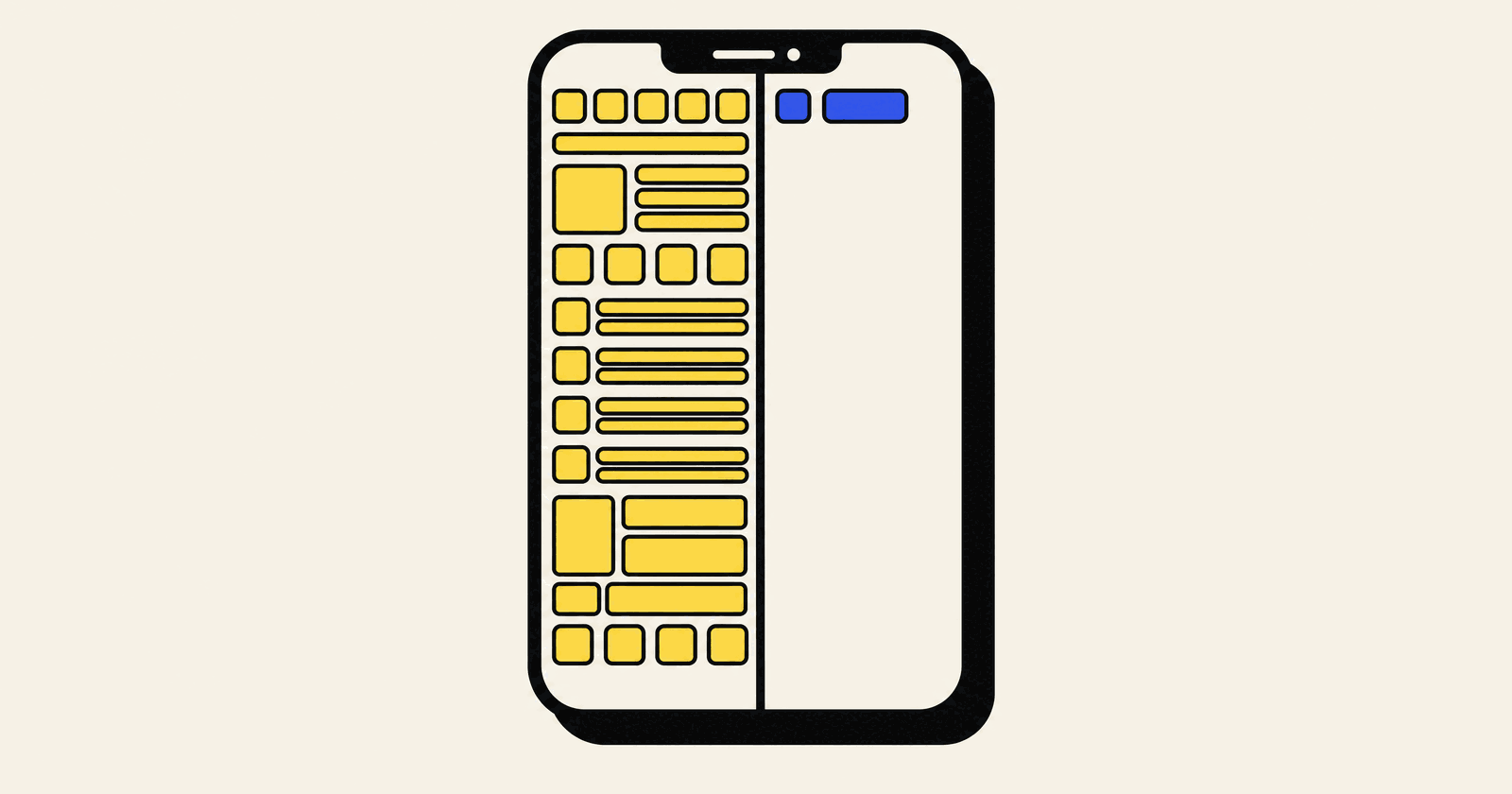
Short answer. Yes, and the answer changed in September 2026. For two years the honest line was that Android got a cut-down app called ServiceM8 Lite, which could not take a card payment on site and could not see anybody else's schedule. On 21 September 2026 ServiceM8 rewrote its own help pages. They now say the Android app has almost all the same functionality as the iOS app, and the two gaps that used to decide this question are both gone from the list.
That is a big change to a question thousands of UK tradespeople search every month, and most of what you will find on it still describes the old app. So here is the new picture, what is still missing, and how long it took the rest of ServiceM8's own pages to agree with the announcement.
Checked 22 September 2026, rechecked 5 October 2026
Everything below was read that day from ServiceM8's About the ServiceM8 Android app article and its four related Android pages, the Google Play listing, servicem8.com/uk/pricing and servicem8.com/uk/android-apple-switch. The Google Play listing and the pricing page were read again on 5 October 2026, and both had changed, so click through before you spend anything.
What changed, and when
Until September 2026 ServiceM8 published a list of nineteen things the Android app could not do, and described it as being for technicians and subcontractors rather than anyone running the business. I wrote the earlier version of this page from that list on 24 August. It was accurate on the day.
The same help article, at the same web address, now carries a new title and a new opening sentence: ServiceM8 is available for Android with almost all the same functionality as the iOS app, and you can manage jobs, schedules, client communication, quotes, invoices and payments from an Android device. The feature list underneath includes the items that used to be on the cannot list. Here is the before and after, taken from ServiceM8's own documentation on both dates.
| On site, you want to | iPhone | Android, until 21 Sept | Android now |
|---|---|---|---|
| See the jobs booked to you | Yes | Yes | Yes |
| Complete checklists and Forms | Yes | Yes | Yes |
| Add notes, photos and materials | Yes | Yes | Yes |
| Send a PDF quote or invoice | Yes | Yes | Yes |
| Take a card payment on site | Yes | No | Yes, with a catch below |
| See another engineer's schedule | Yes | No | Yes |
| Open the client's job history | Yes | Only that job's Diary | Yes |
| Assets, proposals, deposits, queues | Yes | No | Yes |
| Scan a document, mark up a photo, message staff | Yes | No | Yes |
| Draw a diagram, measure a room, fill in a PDF | Yes | No | No |
Scroll the table sideways on a phone.
The minimum Android version also dropped, from 11 to 8.0. And the sister page that used to answer this question with a bare "Yes" and none of the detail now says the same thing as the main article, so ServiceM8's two lists finally agree with each other. The rest of their pages took another fortnight.
The four things Android still does not do
ServiceM8 lists four differences from the iPhone app. None of them is the kind of thing that stops an engineer getting paid.
- Room Scan and AR. Scanning a room, viewing the 3D result and measuring with the camera are iPhone only.
- Diagrams. You can mark up a photo on Android, but you cannot draw a diagram from scratch.
- Editing or filling in a PDF from an attachment preview. You can still open and read PDFs, and the separate signature workflows still work.
- Camera tagging. Android has a voice-to-tag action for photos rather than the automatic, in-camera tagging the iPhone does.
If your quotes lean on a sketched wiring run or a measured floor plan, that first pair matters and you should test them. For a plumber, a gas engineer or an electrician doing reactive work and certificates, I would struggle to name a day where any of the four comes up.
Taking a card on the doorstep, and the catch
Accepting payments and deposits is now on the Android list, which removes the single biggest reason this used to be a hard no for domestic firms. Keying a card in, or sending the customer a link to pay on their own phone while you load the van, works on any Android handset that runs the app.
Tap to Pay, where the customer taps their card on your phone and there is no reader at all, is the part to read carefully. On Android it needs Android 13 or later, NFC, and a phone that meets Stripe's supported device and security requirements. ServiceM8's own words: a phone that can run ServiceM8 does not necessarily support Tap to Pay. And the initial activation of Tap to Pay cannot be done in the Android app. It is switched on for the account first, from the online dashboard, and then the Android phone can take contactless payments.
So if getting paid on the day is your whole cash flow model, check two things before you buy anything: the Android version on each engineer's phone, and whether that phone is on Stripe's list. A five year old handset will run ServiceM8 and still not tap a card.
Google Play has caught up, as of October
For a fortnight this section said the opposite, so here is the sequence. The listing was renamed from ServiceM8 Lite to plain ServiceM8 in September, but its long description still said the app was not designed for use by the business owner and did not have the same feature set as the iPhone and iPad app. That was the old Lite text, and on 22 September it was still sitting there.
I read it again on 5 October 2026 and it has been rewritten. It now opens "Run your service business from your Android device" and says the app is for business owners, managers, office team members, field technicians and subcontractors alike. The feature list names proposals, payments and deposits, forms, assets, other staff members' schedules and staff messaging. The sentence about the business owner has gone entirely.
ServiceM8's UK pricing page has moved as well. The word Lite does not appear on it anywhere, there is no longer any recommendation to buy iPhones, and its Android question now answers that the Android app is almost identical in functionality to the iOS app.
One place the old story survives: ServiceM8's own replies underneath Android reviews on Google Play, the most recent of them from August, still tell people that Lite is intentionally for field staff who need the basics and that owners should be on iOS. They predate the rewrite, and you will find them if you scroll. Treat them as history rather than policy.
Either way the advice does not change. Install it on a real Android handset during the fourteen day trial, put a genuine job through it, and test the three things that used to be missing: take a payment, look at a colleague's diary, and open a client's history. Twenty minutes, and you will know more than any page on the internet, this one included.
Searching the Play Store
Until September the app was only findable by searching "ServiceM8 Lite", and searching "ServiceM8" returned nothing, which convinced a fair few people there was no Android app at all. The listing now appears under ServiceM8. If a search still comes up empty on your phone, check the Android version first: the app needs 8.0 or newer.
If you are the owner and you are on Android
This is the case that used to be the hard one, because the old app showed you your own jobs and nothing else. ServiceM8's page now says an Android user can view other staff members' schedules, open client job history and manage billing, subject to the permissions on their login. That is the management view, on the phone, for the first time.
The office side has not moved and does not need to. Scheduling, dispatch, quoting, invoicing, staff GPS, the dispatch map and reporting all live on the desktop app for Mac and PC and in the online dashboard, on every plan. An owner with an Android phone and a laptop was never locked out of the system. What has changed is that the week in the van no longer runs through the engineer's view of it.
One caveat, and it is mine rather than the vendor's. These pages are days old. If you dispatch four people from the passenger seat, do not take a rewritten help article's word for it. Run the trial on your own phone for a week before you move the business onto it.
Which plan you land on is a separate question from which phone you carry, and it is the one that costs people money when they guess. The full ladder and the feature gates are in what ServiceM8 really costs in the UK, or you can have me work it out with you before you subscribe rather than after.
ServiceM8 will still pay for the iPhones
The offer that used to be the answer to the Android problem is still running, and it is still worth knowing about even now the problem has mostly gone.
ServiceM8's Upgrade to iPhone offer, funded from what they call the Small Business Fund, credits your account with 100% of the base retail price of up to five new iPhones, as listed on Apple's site in your country, tax included. It is the same mechanism as the setup rebate: account credit, applied at 50% of your plan price each month until it runs out, with no cash involved. The terms, re-read today: new subscribers only, one claim within 60 days of subscribing and of the earliest purchase, base model price only however much storage you buy, monthly contracts allowed, only the models on their list, and it ends when the fund runs out, without notice. You must subscribe through the online dashboard at servicem8.com/login-page, not through Apple In App Purchase, or you are not eligible.
Both of ServiceM8's offers carry the same sentence: this offer does not "stack" with any other ServiceM8 offer or reward, and an approved claim replaces any active discount. So the £1,000 Setup and Training Rebate, which pays back 100% of what you pay a certified and listed partner like me, and the phone offer appear to be one or the other. If you were going to buy several iPhones anyway, the phones may well be the bigger credit, and if they are, claim the phones and pay me normally. Get ServiceM8 to confirm in writing which offer your account will end up on before you spend.
What the September change does is turn that from a forced choice into a real one. A month ago an Android team more or less had to buy iPhones to run the business from the field. Now the question is whether Room Scan, diagrams and in-camera tagging are worth new handsets to you. For most of the trades I set up, they are not.
Moving a mixed team over without breaking it
A mixed device team is still the easiest way to end up with half a system, because whoever's phone was set up last quietly goes back to paper. I build your ServiceM8 around how the business actually runs, set it up on every handset, iPhone and Android, and train the people holding them. Fixed price, done in days.
- £650 Setup
- £800 Setup and training
- £250 Training only
If the whole team is on Android and staying
A month ago this section told you to look hard at Tradify. That advice is weaker now, but not gone, because ServiceM8's own store listing still describes the old app and I have not yet watched a full Android team run a month on the new one. So the test is the same: real handset, real job, the three things that used to be missing, during the trial.
Tradify still publishes apps for both platforms with no documented split between them, and its UK prices, read from tradifyhq.com/uk/pricing on 24 August 2026, are £34, £37 and £44 per user per month. Per user, not per account, so a five person team is £185 a month on Pro against £59 or £119 on ServiceM8, with no rebate on Tradify's side. The full sums, including where Tradify genuinely wins, are in the ServiceM8 and Tradify comparison, and the alternatives piece covers the rest of the UK shortlist.
So, does it work on Android
Yes, on ServiceM8's own account
- Your engineers need job cards, forms, photos, time tracking and invoices. All of that has worked for two years.
- You need them to take payments and see each other's diaries. As of September 2026, that is on the list too.
- Their phones run Android 8.0 or newer.
- You will test the three things that used to be missing during the trial, on a real job.
Think harder if
- Your quotes depend on drawn diagrams or measured rooms. Those are still iPhone only.
- Tap to Pay is how you get paid and your engineers' phones are older than Android 13, or not on Stripe's list.
- You run the business from the van and want it proven, not promised. Run the trial on your own phone first.
Most trade businesses asking this question now land in the left box, which was not true a month ago. If you land in the right one, the phone offer above still exists, and the choice between it and the rebate is worth doing on paper before you buy a single handset.
Not sure which box you are in? Tell me how many of you there are, what you carry and how you get paid, and I will tell you straight, before you subscribe to anything. Here is what a setup costs.
Whichever phone your team carries, the handset is not what decides whether you are still using this at Christmas. That comes down to whether the system was built round how you quote, schedule and invoice, or switched on and left to be worked out in the evenings. Same on both platforms, and it is the part I do.
Common questions
Does ServiceM8 work on Android?
Yes. Since September 2026 ServiceM8's own help centre says the Android app has almost all the same functionality as the iOS app: schedules including other staff members', client job history, quotes, invoices, forms, photos, assets, proposals, deposits, staff messages and card payments. It needs Android 8.0 or newer. Until 21 September 2026 the Android app was a cut down version called ServiceM8 Lite, which is why most pages on this question still say no.
What changed with ServiceM8 on Android in September 2026?
ServiceM8 rewrote its Android help pages on or about 21 September 2026. The old list of nineteen things the Android app could not do, including taking card payments and seeing other staff members' schedules, was replaced by a statement that Android has almost all the same functionality as the iPhone app, with four named differences. The minimum Android version dropped from 11 to 8.0. The Google Play listing was renamed from ServiceM8 Lite to ServiceM8, and by 5 October 2026 its long description had been rewritten to match.
What can ServiceM8 on Android still not do?
Four things, according to ServiceM8. Room Scan and AR measuring are iPhone only. You can mark up a photo on Android but not draw a diagram. You cannot edit or fill in a PDF from an attachment preview, although you can read PDFs and the signature workflows still work. And camera tagging is a voice-to-tag action rather than the automatic in-camera tagging on iPhone. None of the four stops an engineer quoting, invoicing or getting paid.
Can I take card payments on an Android phone with ServiceM8?
Yes, accepting payments and deposits is now on ServiceM8's Android feature list. Keying a card in or sending a pay online link works on any phone that runs the app. Tap to Pay on Android, where the customer taps their card on your phone, needs Android 13 or later, NFC and a phone on Stripe's supported device list, and Tap to Pay has to be activated for the account outside the Android app first. ServiceM8 says a phone that can run the app does not necessarily support Tap to Pay.
Does Google Play still say ServiceM8 Lite?
Not any more. On 22 September 2026 the listing was titled ServiceM8 but its long description still said the app was not designed for the business owner. Read again on 5 October 2026, that description had been rewritten and now covers business owners, managers, office staff and technicians. The old wording survives only in ServiceM8's replies to older reviews. Test the app on a real Android handset during the free trial anyway.
Can I run my business from ServiceM8 on an Android phone?
ServiceM8's page now says yes: an Android user can view other staff members' schedules, open client job history and manage billing, subject to their permissions. The office side, meaning scheduling, dispatch, quoting, invoicing, staff GPS and reporting, works on the desktop app for Mac and PC and in the online dashboard on every plan, as it always did. If you dispatch several people from the van, run the trial on your own phone for a week before you rely on it.
Will ServiceM8 still pay for iPhones, and does that stack with the £1,000 rebate?
The Upgrade to iPhone offer is still running: account credit for 100% of the base retail price of up to five new iPhones from the models ServiceM8 lists, for new subscribers who subscribe through the online dashboard and claim within 60 days. It does not stack with the £1,000 Setup and Training Rebate, because both offers say an approved claim replaces any other. Price both and claim the bigger one. Now that Android has most of the app, buying iPhones is a choice rather than a necessity.