Answered
Does ServiceM8 integrate with Xero?
Yes, on every plan including the free one. The useful question is which way each thing travels, because the one way half is the half that catches people out.
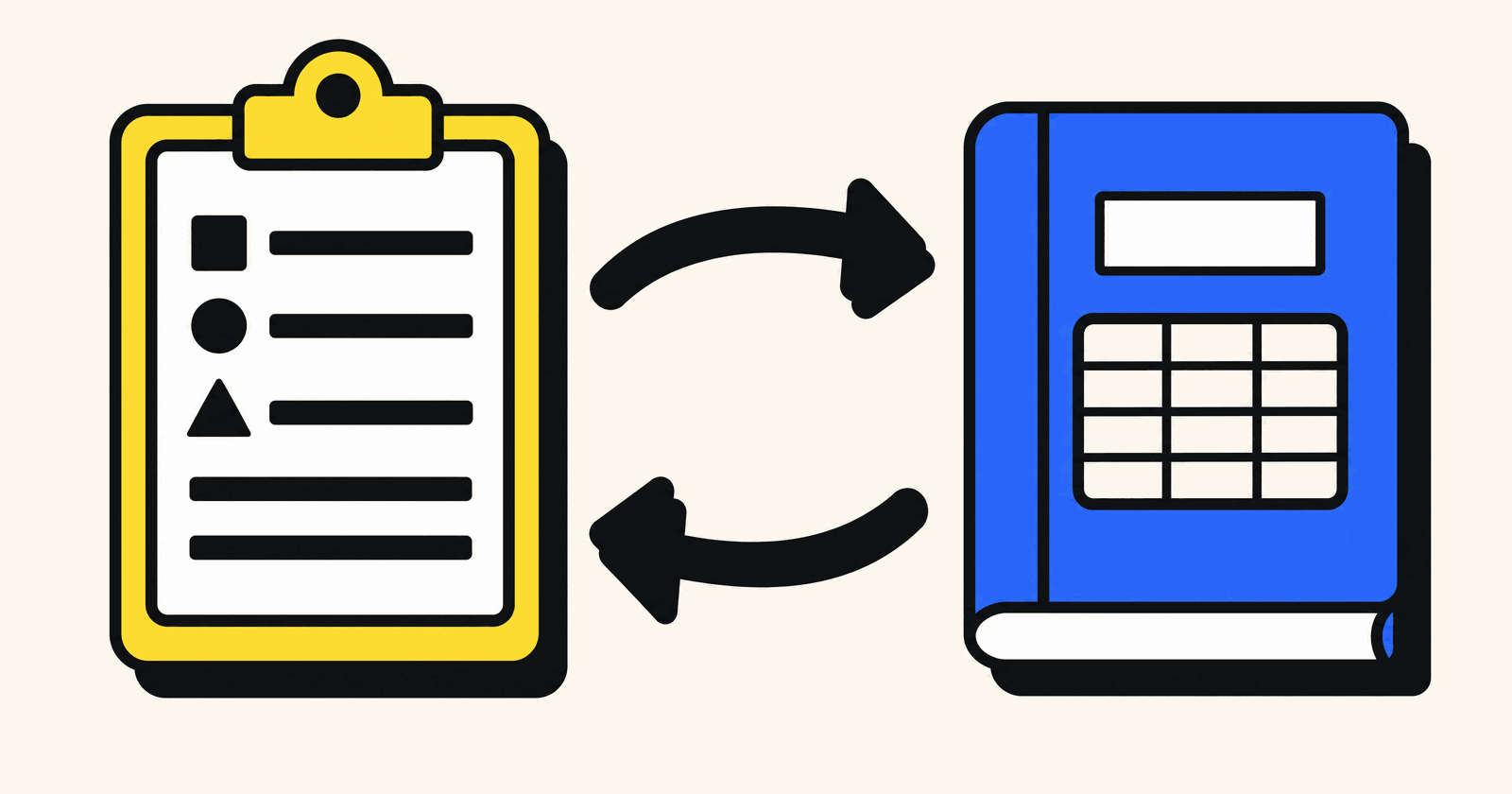
Short answer. Yes. ServiceM8 connects straight to Xero, on every plan including the free one, and once the two are linked your customers, your price list, your approved invoices and your payments move between them without anybody typing anything twice. It does not replace Xero. Xero does not replace it. One runs the work, the other runs the books.
The useful question is not whether they connect. It is which way each thing travels, because the half of this integration that runs one way is the half that catches people out.
Where I stand, since it matters: I set ServiceM8 up for a living, I am certified and listed by them, and I do not sell Xero at all. ServiceM8 pays its partners a share on clients they bring in, so I am not a neutral voice here.
Everything here was checked on 28 September 2026
Read that morning from servicem8.com/uk/pricing, ServiceM8's Xero help centre, the Xero App Store listing and xero.com/uk/pricing-plans. Both companies move prices and rewrite help pages, so click those links before you commit to anything.
What moves, and which way it goes
Here is the whole integration on one page, straight from ServiceM8's help centre.
| What | Which way | When |
|---|---|---|
| Customers | Both ways | All of Xero's on day one, then every 30 minutes |
| Suppliers | Neither | Never imported |
| Price list items | Both ways | Xero items land as Materials |
| Invoices raised in ServiceM8 | ServiceM8 to Xero | When you approve them |
| Invoices raised in Xero | Nowhere | Never appear in ServiceM8 |
| Payments taken on the job | ServiceM8 to Xero | Once the invoice is approved |
| Payments reconciled in Xero | Xero to ServiceM8 | Within 30 minutes |
| Tax rates | Xero to ServiceM8 | On connection, then on every change |
| Income account codes | Xero to ServiceM8 | Sales and Revenue accounts only |
| Tracking categories | Xero to ServiceM8 | Once a day |
Scroll the table sideways on a phone.
Three of those rows decide how you work.
Invoices only go one way. ServiceM8's help centre is blunt: "Invoices created in Xero are not sent to ServiceM8." Raise one directly in Xero and ServiceM8 never hears about it, so the job sits there looking unbilled and your ServiceM8 reporting is short by that amount. Pick one place to raise invoices. For a trade business it should be ServiceM8, because that is where the photos, notes and materials already are. Worth knowing that Xero's own app store listing describes invoices as shared in both directions. Two vendor pages, same connection, opposite answers. Go with the help centre and put a test invoice through Xero during your trial.
Payments go both ways, which is the bit people actually want. Take a card on site and it lands in Xero. Somebody pays by bank transfer, your bookkeeper reconciles it, and within half an hour ServiceM8 marks that invoice paid and stops chasing them. That matters more than it sounds, because ServiceM8's payment chasing runs automatically on every plan and there is nothing worse than a reminder going to a customer who paid on Tuesday.
Tax comes from Xero and never goes back. More on that below, because it is the most common way this setup ends up quietly broken.
ServiceM8 vs Xero is the wrong question
People type this into Google every week, so it is worth answering plainly. These two are not alternatives and you are not choosing between them.
Xero is your accounts. Bank feeds, VAT returns to HMRC, bills, payroll, the year end. ServiceM8 is everything that happens before an invoice exists: the enquiry, the quote, the diary, the engineer on site, the photos, the certificate, the materials, the signature. When the job is done, ServiceM8 produces the invoice and hands it over.
Run a trade business and you will pay for both. The nearest thing to an overlap is the customer list, and the integration keeps that in one shape so you are not maintaining it twice. For the longer version of what ServiceM8 holds on each customer, I went through it in whether ServiceM8 counts as a CRM.
What happens the minute you connect them
The connection lives in Settings, under ServiceM8 Add-ons. Press Connect on Xero Integration, set the tax setting, log in to Xero, authorise it, choose which organisation to link. Read that tax screen rather than clicking through it. It is the one step in the wizard that is about your numbers rather than your password. ServiceM8 then pulls in your Xero customers and items, and two things about that first import are worth knowing beforehand.
Suppliers do not come across. ServiceM8 takes customer contacts only, and in Xero a supplier is anybody you have ever put a bill against. A contact who is both does come in. So your ServiceM8 customer list will be shorter than your Xero contact list, and that is correct rather than a failed import.
Clients you create in ServiceM8 do not appear in Xero straight away. They arrive the first time you approve an invoice for them, and after that edits in either place update the other. Until then there is a real trap, in ServiceM8's own words: a client that has not yet synced will be overwritten if somebody types the same one into Xero by hand. The order you do this in is the difference between a clean customer list and a duplicated one, and it is the first thing I settle on a fixed price setup.
How a job actually becomes a Xero invoice
Nothing goes to Xero until you say so. Set the job to Completed, open Invoicing, then Awaiting Approval, tick the job and press Approve. A spinner turns into a green tick, or a red cross if Xero refused it.
That Awaiting Approval queue is the best habit in the whole system. Five minutes on a Friday checking the lads put the materials on, rather than finding out in January that six jobs went out at labour only.
Two defaults decide what Xero receives. Your ServiceM8 job number becomes the Xero invoice number, so a job is traceable from the diary to the bank statement in one hop. And invoices land as Awaiting Approval rather than approved, which you can switch. Need to close a job off without sending it to Xero at all? Right click the line.
One thing that surprises people: an invoice worth nothing will not sync. ServiceM8 says a zero value invoice is not sent when approved. Warranty returns and goodwill callouts still need recording, they just will not appear in your accounts as a nil invoice.
Your tax codes come from Xero, and only from Xero
When you connect, ServiceM8 imports every tax rate that exists in Xero. After that, any change you make to a rate in Xero syncs down automatically, and changes you make inside ServiceM8 never go back the other way. Income account codes work the same, and only accounts set as Sales or Revenue type in Xero appear in ServiceM8 at all.
Xero is the master. Your ServiceM8 price list sits downstream of it. Which means three things nobody warns you about.
- Tidy up your VAT rates in Xero and your ServiceM8 job templates can end up pointing at one that is no longer live. Templates do not repair themselves. Somebody has to go and look.
- Reconnecting Xero re-imports the tax rates, so if you ever disconnect and reconnect to fix something else, check your price list and templates afterwards.
- If an income code you want is missing in ServiceM8, the answer is in Xero's chart of accounts, not in ServiceM8.
None of it is hard. It is invisible, which is worse, and far cheaper to get right on day one than to unpick after a hundred invoices. Which is a large part of why paying somebody to build it properly tends to pay for itself.
What the pair costs, and the Xero plan that will stop you dead
Both charge a flat monthly fee with no per user charge, so team size moves neither number. Both ladders, read the same morning.
| Plan | Per month | Jobs a month | Users |
|---|---|---|---|
| Free | £0 | 30 | 1 |
| Starter | £25 | 50 | Unlimited |
| Growing | £59 | 150 | Unlimited |
| Premium | £119 | 500 | Unlimited |
| Premium Plus | £269 | 1,500+ | Unlimited |
| Plan | Per month | Invoices |
|---|---|---|
| Ignite | £18 | "Send quotes and 20 invoices" |
| Grow | £39 | Included |
| Comprehensive | £55 | Included |
| Ultimate | £70 | Included |
Look at that Ignite row, because it is the thing that goes wrong. Xero's cheapest plan is capped at twenty invoices a month. ServiceM8 will let you approve the twenty first one and Xero will refuse it, with an error about reaching the limit of invoices you can approve. Your work stops at the border between two systems that are both behaving exactly as designed. ServiceM8's help article about that error tells you to upgrade from the Xero "Starter" plan, which Xero stopped selling on 12 September 2024 along with Standard and Premium. The advice is right, the plan name is two years out of date, and the plan you want is Grow.
So the honest monthly number for a small firm doing more than twenty invoices is ServiceM8 Growing at £59 plus Xero Grow at £39. That is £98 for the pair, excluding VAT, unlimited users on both. ServiceM8 issues reverse charge invoices for you to account for VAT to HMRC, which most registered businesses reclaim. The ServiceM8 side is broken down further, card fees included, in what ServiceM8 really costs in the UK.
The Xero mistake that costs you £800
ServiceM8 pays back 100% of what you spend with a certified and directory listed partner on first time setup and training, capped at £1,000, as credit against your subscription at half your monthly fee until it runs out. Pay me £800 for setup and training, you get £800 back. On Growing at £59 that is about twenty seven months at half price.
There is one way to lose it before you begin and it has Xero's name on it. ServiceM8's terms say you must subscribe through your Online Dashboard login, and that the offer "is not compatible with subscribing through your Xero or Apple account". Subscribe inside the iPhone app or through your Xero account and the rebate is gone. Not reduced. Gone.
The Xero half of that has sorted itself out, in a way. ServiceM8's help centre now says Xero is ending support for paying for apps like ServiceM8 through a Xero account, and told anyone billed that way to move to a direct subscription by 15 June 2026. That date has gone, so the live danger today is the Apple one. Subscribe on the website, on a computer, and you are fine.
Get it built right, and get the money back
I build your ServiceM8 around how your business actually runs, connect it to Xero in the right order so your customer list does not end up duplicated, set your tax rates and income codes from your real chart of accounts, and train you on it. Then I walk you through claiming the rebate.
- £650 Setup
- £800 Setup and training
- £250 Training only
One caveat I would want if I were you: the rebate does not stack. ServiceM8's terms say an approved claim replaces any active discount on your subscription. So nobody can sell you a discount code and the rebate together, and the rebate is nearly always the bigger number. The full rules are here.
Stock levels, and the thing ServiceM8 has not got
A few comparison sites tell you ServiceM8 has no stock control. That was never quite right and it is wrong now. ServiceM8's own answer is yes, with a condition: its inventory works through a connected accounting package, and after that package processes a synced invoice containing tracked items, ServiceM8 imports the updated quantity, which may not happen immediately.
Which tells you what you are getting. ServiceM8 has no inventory system of its own. No purchase orders, no van stock, no supplier ordering. What it has is a view of the stock levels held in Xero, and the number only moves after an invoice carrying a tracked item has gone through. If you fit what you buy, plenty. If you carry real van stock and want to know what is on each vehicle this morning, neither product is the answer.
The four things that stop an invoice reaching Xero
Each one shows as a red cross in Invoicing, Awaiting Approval, and hovering over it tells you which you have got.
- The invoice number is already used in Xero. Numbers must be unique and Xero counts deleted and voided ones too. Raising the odd invoice by hand in Xero is the usual cause. If it keeps happening, switch ServiceM8 to let Xero issue the numbers.
- The customer is archived in Xero. Xero will not put a new invoice against an archived contact. Restore it in Xero, approve again.
- You have hit your Xero plan's invoice limit. See the Ignite row above.
- The invoice is for nothing. Zero value invoices are not sent.
None of those are hard to clear. What they have in common is that they all happen in Xero and they are all invisible from the van, which is why somebody should open that Awaiting Approval queue every week. Setting it up so most of them never arise is part of what I do.
If your books are on Sage, or anywhere else
ServiceM8's integrations page lists three accounting packages and only three: Xero, QuickBooks Online and MYOB. Sage is not on it, and searching that page for the word finds nothing. MYOB is Australia and New Zealand only, per ServiceM8's own getting started guide. So in the UK your two choices are Xero or QuickBooks Online. ServiceM8 will not tell you which. Asked directly, they say the two integrations are for the same workflow and work in very similar ways, and that picking an accounting package is your business rather than theirs. Fair answer.
On Sage and staying there? That is one of the few genuine reasons to look past ServiceM8 altogether, and I said so at length in the ServiceM8 and Tradify comparison. Tradify syncs Sage on every plan. Not me being generous, just what the two vendors publish.
And you do not have to connect anything. ServiceM8 says plainly that there is no requirement to connect it to Xero, that it works as a stand alone system, and that you can track manual transfers through the Invoicing tab. A real option on a handful of invoices a month. For anybody busier it means typing every invoice twice, which is how mistakes get in.
So, connect them or not?
Connect them if
- Your accounts are already on Xero, or you were going to move to it anyway.
- You raise more than a handful of invoices a month.
- You want payments and chasing to stop automatically when somebody pays.
- You would rather keep one customer list than two.
Leave it alone if
- Your books are on Sage and are staying there.
- Your bookkeeper raises all the invoices in Xero and will not change that.
- You are on Xero Ignite, doing over twenty invoices a month, and will not upgrade.
- You are doing five invoices a month and honestly do not need it.
For most trade businesses it is the first list, and the connection is genuinely good once it points at the right tax rates and the right accounts. The bit that goes wrong is almost never the sync. It is the half hour of decisions before you press Connect: which system owns the customer list, where invoices get raised, which income codes the work lands in, what your job templates are priced against. Get those four right and you will not think about this again.
Common questions
Does ServiceM8 integrate with Xero?
Yes, directly, and on every ServiceM8 plan including the free one. Connecting is done in Settings under ServiceM8 Add-ons, and ServiceM8 then imports your Xero customers and items. After that, customers and price list items stay in step both ways, approved invoices and payments go from ServiceM8 to Xero, and payments reconciled in Xero come back to ServiceM8 within 30 minutes.
Is ServiceM8 the same as Xero, or does it replace it?
Neither. Xero does your accounts: bank feeds, VAT returns, bills, payroll and the year end. ServiceM8 does the work that happens before an invoice exists: quotes, the diary, the engineer on site, photos, certificates and materials. ServiceM8 then produces the invoice and hands it to Xero. A trade business running both will pay for both, and the integration keeps the customer list in one shape.
Is the ServiceM8 and Xero sync two way?
Partly. Customers and price list items sync both ways once a record exists in both systems. Payments sync both ways. But tax rates, income account codes and Xero tracking categories only travel from Xero to ServiceM8, and changes you make to tax settings inside ServiceM8 never go back to Xero. Xero is the master for anything to do with tax and accounts.
Do invoices raised in Xero show up in ServiceM8?
No. ServiceM8's help centre says it flatly: invoices created in Xero are not sent to ServiceM8. So if your bookkeeper raises an invoice directly in Xero, the ServiceM8 job will still look unbilled and your ServiceM8 reporting will be short by that amount. Raise invoices in one place. Xero's own app store listing describes this differently, so test it during your trial.
If a customer pays and it is reconciled in Xero, does ServiceM8 know?
Yes, for invoices that were raised and approved in ServiceM8. Payments received in Xero against an invoice exported from ServiceM8 sync back within 30 minutes, and once the invoice is paid in full ServiceM8 marks it paid. That matters because ServiceM8's automatic payment chasing runs on every plan, and this is what stops a reminder going to somebody who has already paid.
Which Xero plan do I need to use with ServiceM8?
Grow at £39 a month, unless you send very few invoices. Xero's cheapest plan, Ignite at £18, lists “Send quotes and 20 invoices” on its card while the three plans above it say Included, so ServiceM8 will stop being able to approve invoices once you pass that. Both prices exclude VAT and were read from xero.com/uk on 28 September 2026.
Do I have to connect ServiceM8 to Xero?
No. ServiceM8 says there is no requirement to connect the two and that it works as a stand alone system, with a workflow in the Invoicing tab for tracking invoices you transfer by hand. That is reasonable if you raise a handful of invoices a month. For anybody busier it means entering every invoice twice, which is where the mistakes come from.